
Скриншоты



Сведения о приложении
- Обновлено
- Sep 22, 2010
- Язык
- Spanish,English,Portuguese,French,Italia...
- Разработчик
- Emsi Software GmbH
- Категория
- Mobile
SoftPas на:
Этот продукт также доступен на следующих языках:
О a-squared HiJackFree
Скачать a-squared HiJackFree – сканер вредоносного ПО, удалитель шпионского ПО, защита от рекламного ПО
Обзор
- Comprehensive System Analysis: The app performs an in-depth scan of the system, examining running processes, startup entries, browser extensions, and registry settings. This detailed inspection helps identify hidden or dormant threats that may not be flagged by standard antivirus software.
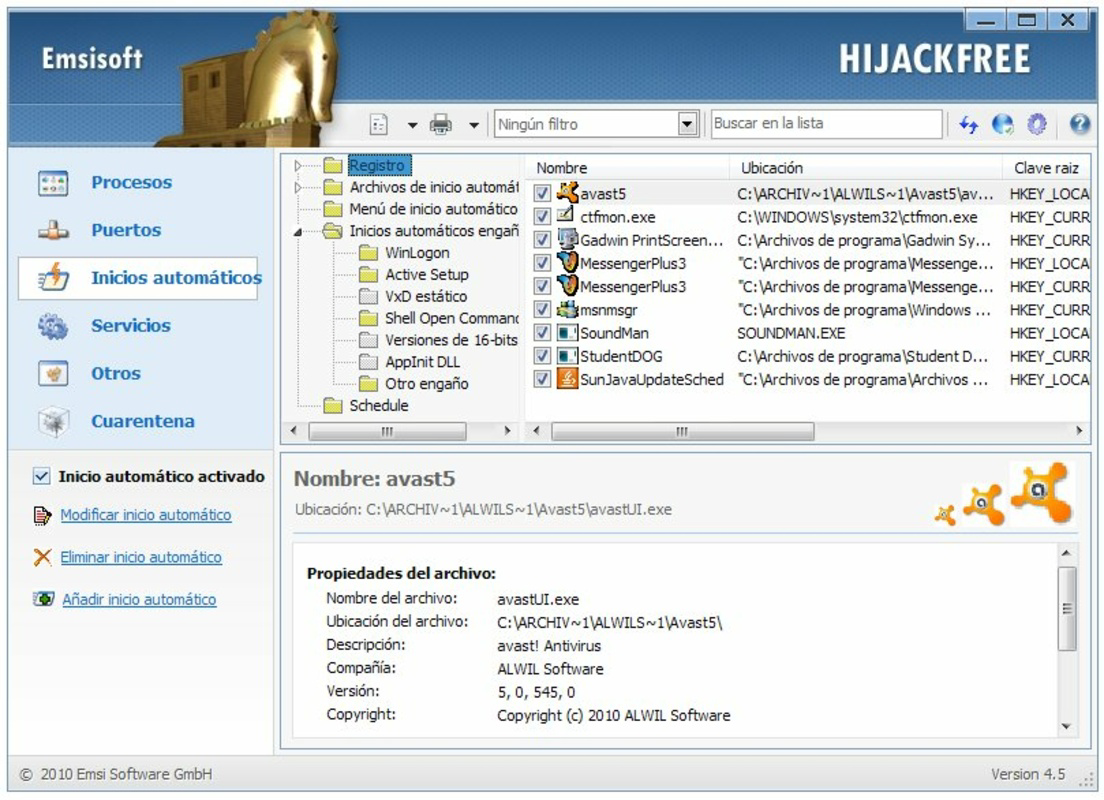
- User-Friendly Interface: Designed with accessibility in mind, the interface organizes findings into clearly labeled tabs, allowing users to navigate results without technical expertise. This layout supports both novice users and experienced individuals who prefer quick access to actionable data.
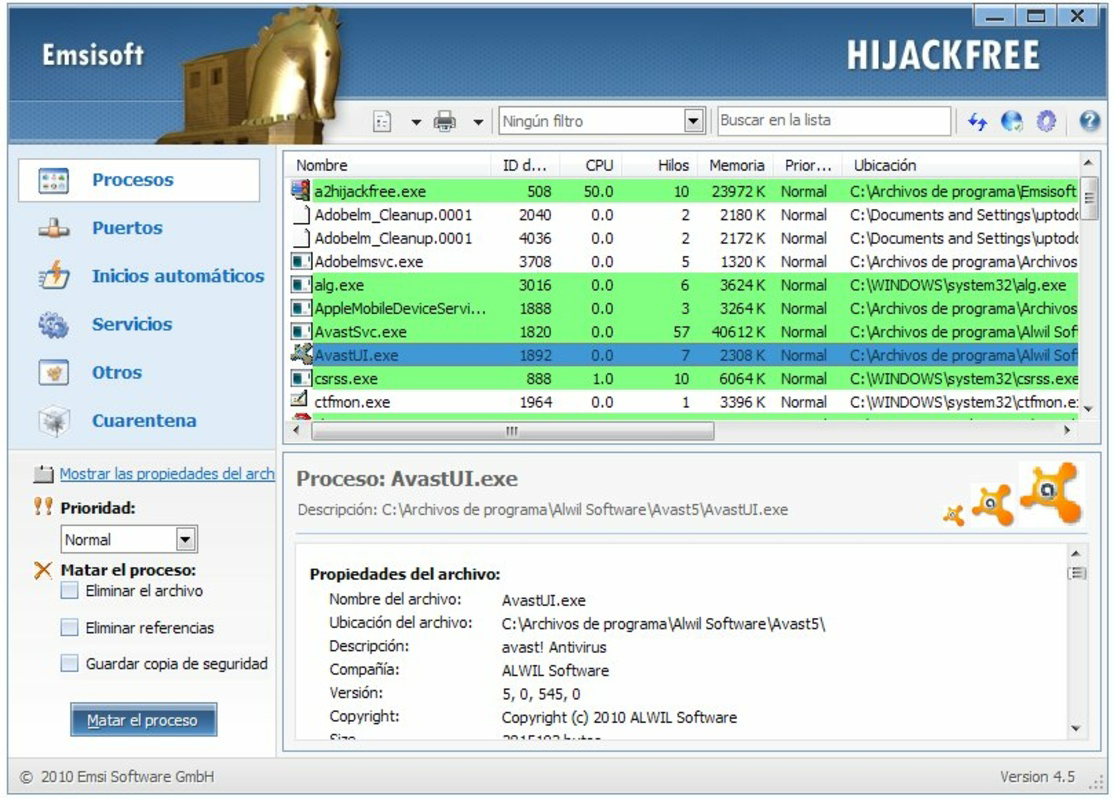
- Process Management Tools: Users can directly manage suspicious processes by stopping, blocking, uninstalling, or removing them from the system. This level of control enables immediate response to potential threats, reducing exposure time.
- Quick Online Analysis: A built-in feature allows users to submit system data to a secure online service for analysis. The process takes under two minutes and returns a detailed report, making it ideal for users seeking fast diagnostics without local processing overhead.
- Real-Time Malware Protection: The tool actively monitors system behavior, detecting and alerting users to malicious activity as it occurs. This continuous surveillance helps prevent infections before they can cause damage.
Interface, UX & Performance
The interface of a-squared HiJackFree is structured around clarity and efficiency. Information is presented in a tabbed layout, with sections dedicated to processes, startup items, browser settings, and scan results. This organization supports intuitive navigation, enabling users to locate relevant data quickly. Visual cues such as color-coded alerts and descriptive icons help distinguish between safe and potentially harmful entries. The design avoids clutter, focusing on functionality rather than aesthetic embellishments. Although the developer did not list formal performance metrics, the application appears optimized for minimal resource usage, allowing it to run smoothly on older or low-spec systems. Users can expect consistent responsiveness during scans and real-time monitoring, with no noticeable lag during typical operations. Stability is maintained through regular updates, though specific update frequency was not disclosed. The app does not appear to rely heavily on internet connectivity beyond the optional online analysis, making it usable in offline environments. Compatibility with various system configurations is implied by its long availability, but the developer did not specify minimum requirements. Overall, the user experience emphasizes control, transparency, and speed—key attributes for a security-focused utility.Platform Compatibility & Technical Requirements
a-squared HiJackFree is available for Windows operating systems. The latest version is compatible with modern Windows environments, though specific OS versions were not listed. The file size is reported as 2.4 MB, indicating a lightweight footprint that contributes to fast installation and minimal storage impact. While the developer did not specify minimum OS requirements or hardware specifications, the small size suggests it can run on a wide range of devices, including older systems. No additional dependencies or runtime environments were mentioned. The application does not appear to require constant background services or elevated privileges beyond standard user access. Compatibility with different device categories—such as desktops, laptops, and tablets—was not fully disclosed. However, its design suggests it functions primarily on traditional PC platforms rather than mobile devices. Users should verify compatibility with their specific system before installation.Pros and Cons
- Lightweight design with minimal system impact
- Intuitive interface suitable for non-technical users
- Quick online analysis service under two minutes
- Real-time monitoring for active threat detection
- Focus on specific threats like HiJackers and browser hijackers
- Developer did not provide detailed system requirements
- Not available on mobile platforms (Android, iOS)
- Online analysis requires internet connection
- Specific update frequency not disclosed
- No built-in automatic scanning schedule
FAQ
Is a-squared HiJackFree safe to download and install?
Yes, the application is designed as a legitimate security tool and is distributed through official channels. It does not contain malware or deceptive behavior. Users should ensure they download it from the developer’s verified website to maintain security.Can I use a-squared HiJackFree on mobile devices?
No, the application is designed for Windows desktop and laptop systems. It is not available for Android or iOS platforms.Does a-squared HiJackFree require a paid subscription?
No, the tool is offered as a free utility. There are no mandatory subscription fees or in-app purchases required for full functionality.How often should I run a scan with a-squared HiJackFree?
Users are encouraged to perform scans periodically, especially after downloading files from unknown sources or noticing unusual system behavior. A monthly check is recommended for routine maintenance.Can I update a-squared HiJackFree automatically?
The developer did not specify whether automatic updates are supported. Users may need to manually check for new versions on the official website.Final Thoughts + CTA
a-squared HiJackFree remains a valuable tool for users seeking a focused, efficient approach to malware detection and removal. Its specialized design makes it ideal for individuals who want to supplement their existing security setup with a lightweight, no-frills scanner. The combination of real-time protection, detailed analysis, and quick online diagnostics offers tangible benefits for maintaining system health. While it lacks mobile availability and automatic update features, its core functionality is reliable and well-executed. For users concerned about privacy, performance, or browser hijacking, this app delivers clear value. If you're looking for a trustworthy, free utility to enhance your digital security, a-squared HiJackFree is a solid choice. Download a-squared HiJackFree now.Руководства и уроки
Как установить a-squared HiJackFree
- Нажмите кнопку Скачать выше.
- После перенаправления примите условия и нажмите Установить.
- Дождитесь завершения загрузки a-squared HiJackFree на ваше устройство.
Как использовать a-squared HiJackFree
Это ПО в основном используется для основных функций, описанных выше. Откройте приложение после установки, чтобы изучить его возможности.
Отзывы пользователей
Отзывов пока нет. Поделитесь своим опытом первым.
Вам также может понравиться
еще
Que no te pillen¡
About !Que no te pillen¡Reviewed by Jason A. BilbreyShow MoreShow Less

3D Combat Zone
About 3D Combat ZoneOriginally released in 1983, 3D Combat Zone immerses players...

666: El día del portal
About 666: El día del portalOn June 6, 2006, Agent P. Stone uncovers a sinister...

80 in 1 Best Flash games
About 80 in 1 Best Flash games 80 in 1 Best Flash games is a collection of 80 fl...

ABYSS SEEKERーーWhat Do You See Deep in The Abyss
About ABYSS SEEKERーーWhat Do You See Deep in The AbyssIn ABYSS SEEKER, players...

ACA NEOGEO THE KING OF FIGHTERS 2002 for Windows
About ACA NEOGEO THE KING OF FIGHTERS 2002 for WindowsTHE KING OF FIGHTERS 2002,...